Photograph what you buy. See where it went.
Totesnap gives you one spending limit per day. Snap a photo of the meal, the shop, or the bag you just carried out, add the price, and watch what’s left update instantly.


Free to start · No bank account to connect
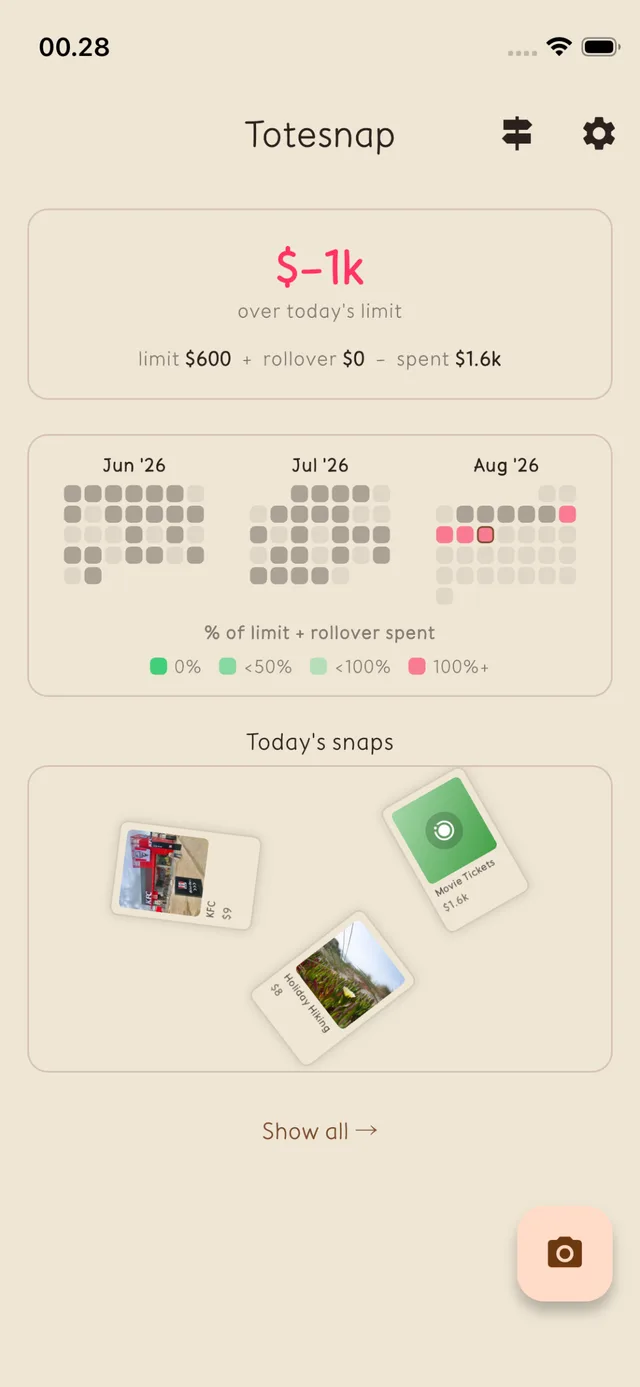
A day of snaps8 snaps · $259 spent
- Morning Coffee$5
- KFC$9
- Weekly Groceries$86
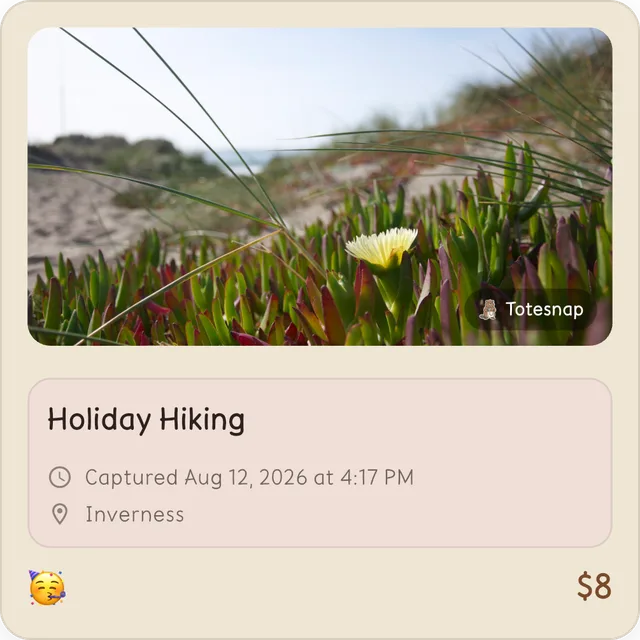
- Holiday Hiking$8
- Movie Tickets$24
- Haircut$35
- Birthday Gift$40
- Dinner Out$52
Logging a purchase takes about ten seconds.
There are no categories to choose and no receipts to keep. You do the same three things every time.
- 01
Take the photo
The plate in front of you, the shop front, the tote bag on the counter — whatever you just paid for.
- 02
Type the amount
Enter the price and tap a mood emoji if you want one. Time and place are attached for you.
- 03
See what's left
Today's remaining budget updates the moment you save. That's the whole loop.
A daily budget that remembers yesterday.
Most budgets give you a monthly pot and let you find out on the 28th that it’s gone. Totesnap gives you one number per day — and whatever you don’t spend is added to tomorrow.
A week on a $50 daily limit
- Monday$18 left
- Daily limit
- $50
- Rolled over
- —
- Spent
- − $32
- Tuesday$27 left
- Daily limit
- $50
- Rolled over
- + $18
- Spent
- − $41
- Wednesday−$13 over
- Daily limit
- $50
- Rolled over
- + $27
- Spent
- − $90
Monday came in $18 under, so Tuesday started with $68 to work with. Tuesday saved $27 more, which is what made Wednesday’s $90 dinner cost only $13 of real damage instead of $40.
Today’s number, first thing you see.
Open the app and the top of the screen answers one question: can I afford this right now?
- Remaining budget in large type, green when you're under and red when you're over
- The limit, rollover, and spent figures that produced it, spelled out
- Today's snaps laid out beneath, so you can see what already went out
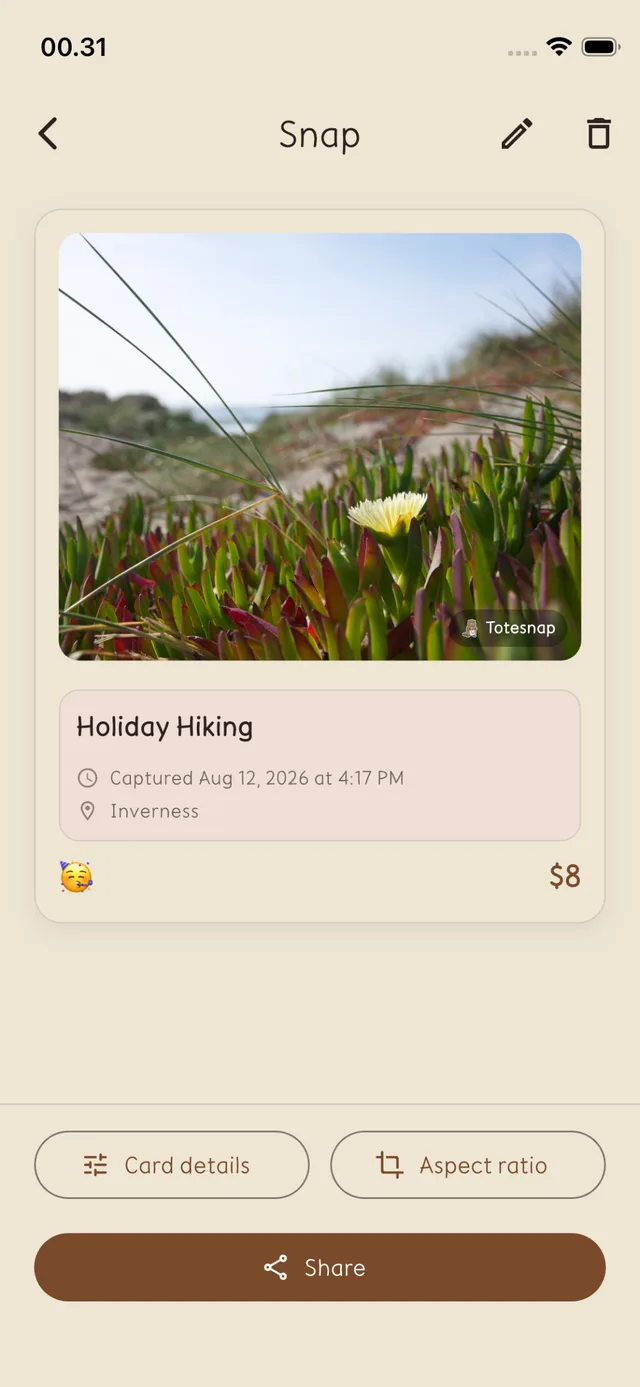
Each purchase keeps its context.
A row in a spreadsheet tells you $8 left your account. A snap tells you it was a flat white on the coast path, and that you were happy about it.
- The photo, the amount, and the mood you tagged it with
- Date, time, and place captured automatically at the moment you snap
- Edit or delete any snap later if you fat-fingered the amount
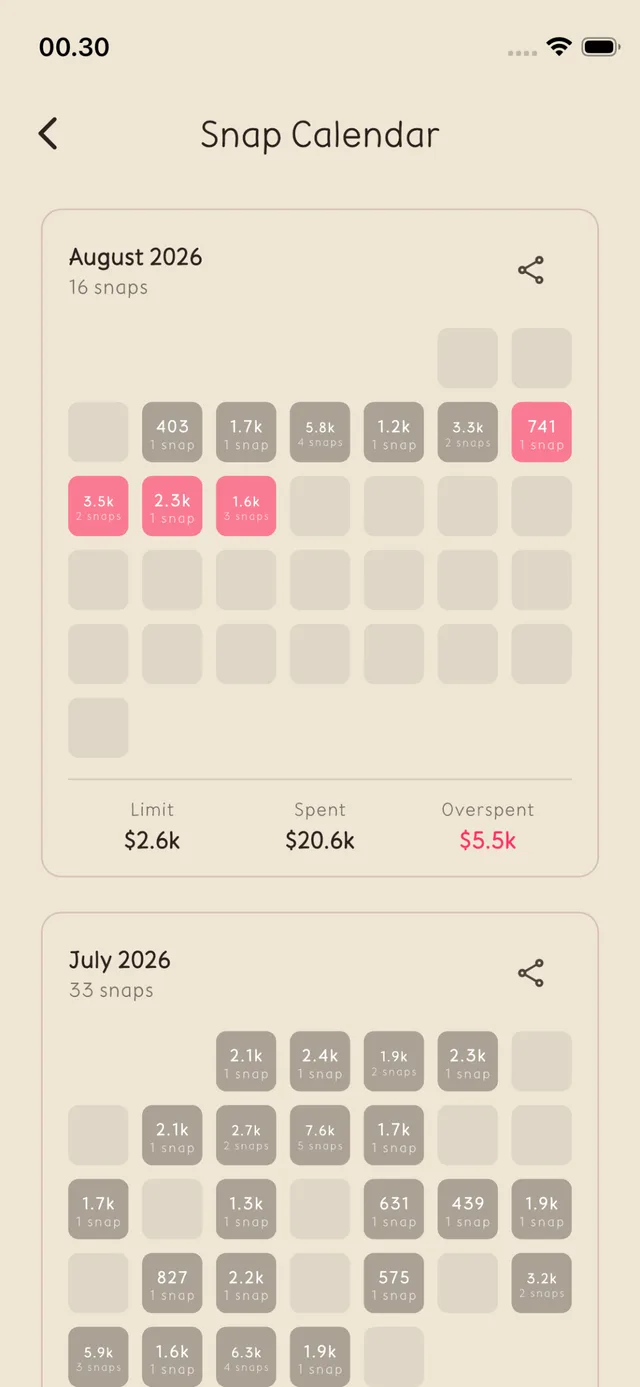
Spot a bad month while it’s happening.
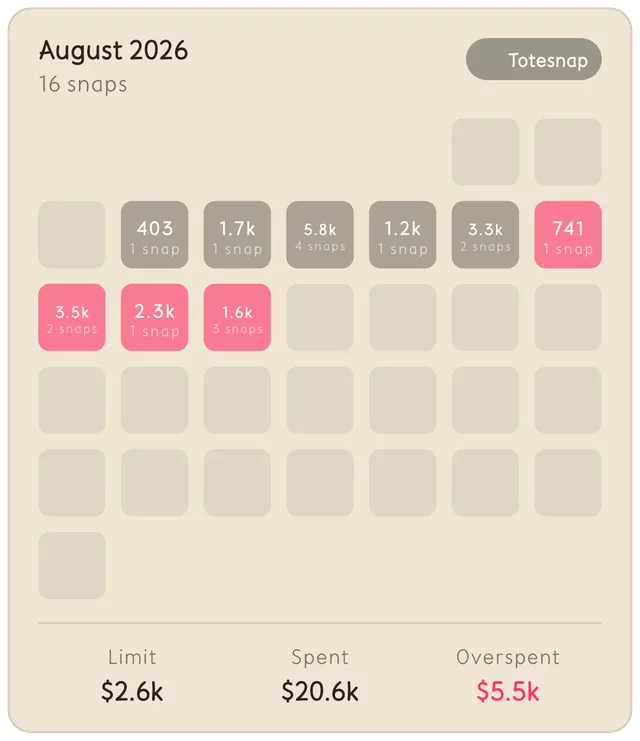
Every day is a square that tints from grey to red as you use up your limit. A run of red is visible from across the room, weeks before the statement arrives.
- Daily totals and snap counts on a month grid
- Limit, spent, and overspent summarised per month
- Tap any day to pull up exactly what you bought
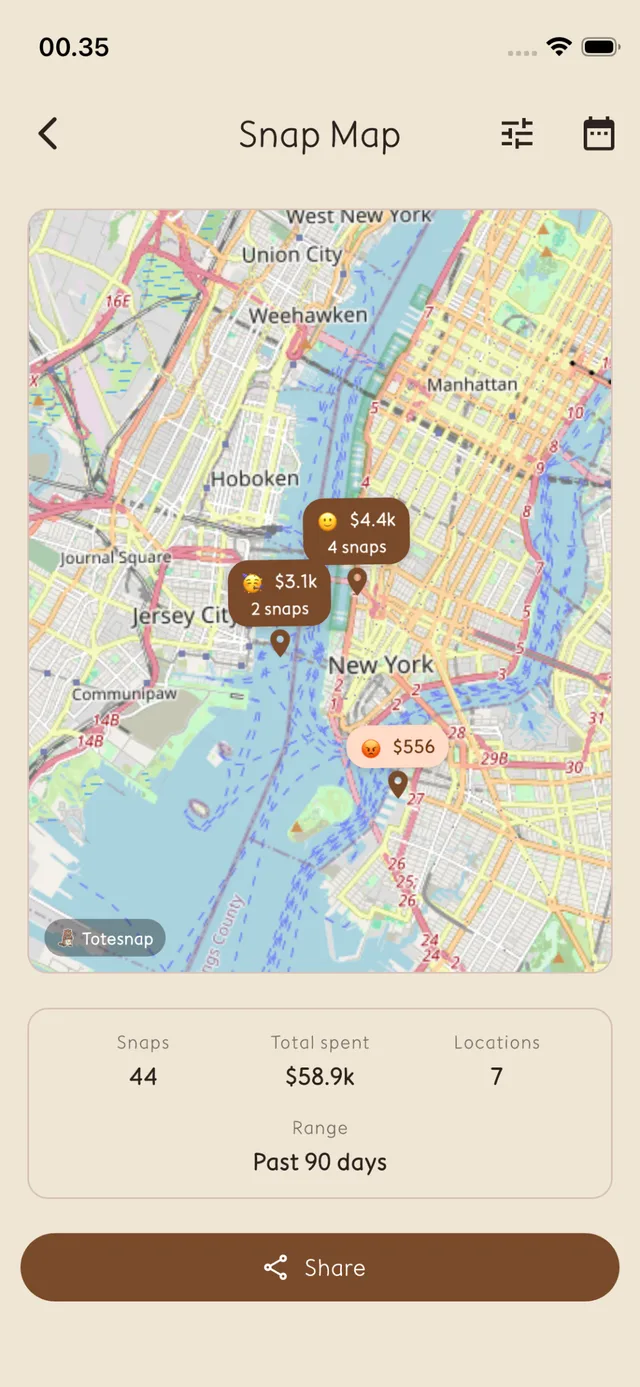
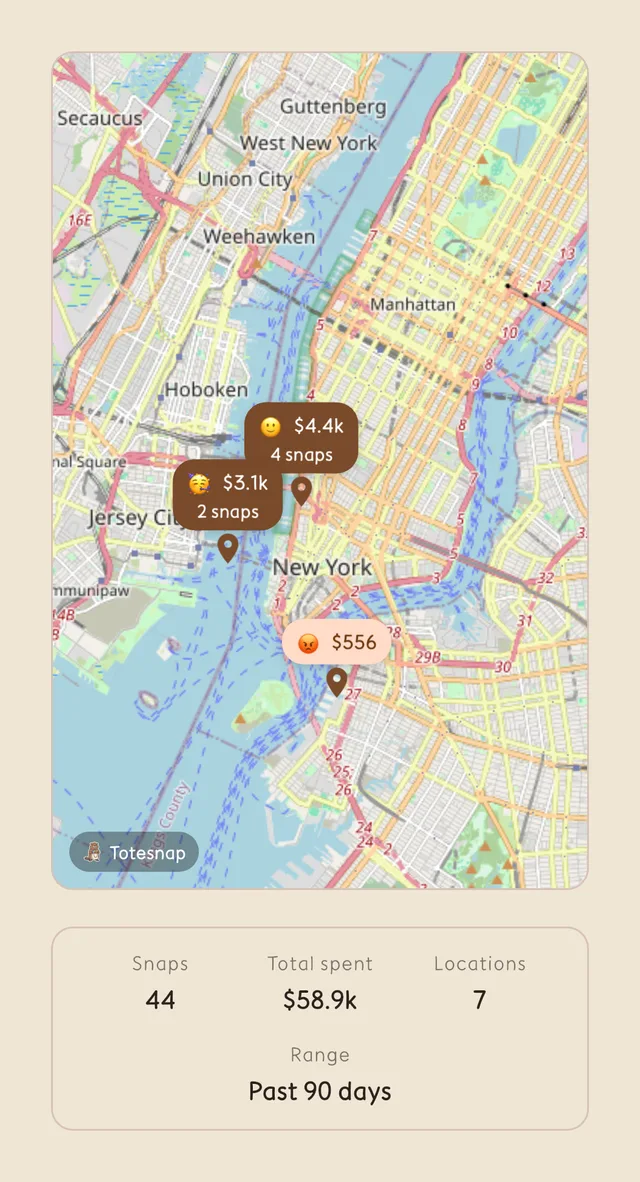
The places that cost you most.
Because every snap knows where it was taken, your spending also has a geography. It's usually one neighbourhood doing the damage.
- Pins grouped by location with totals and snap counts
- Filter down to a date range — the last 90 days by default
- Totals for snaps, spend, and number of locations
Every snap stays searchable.
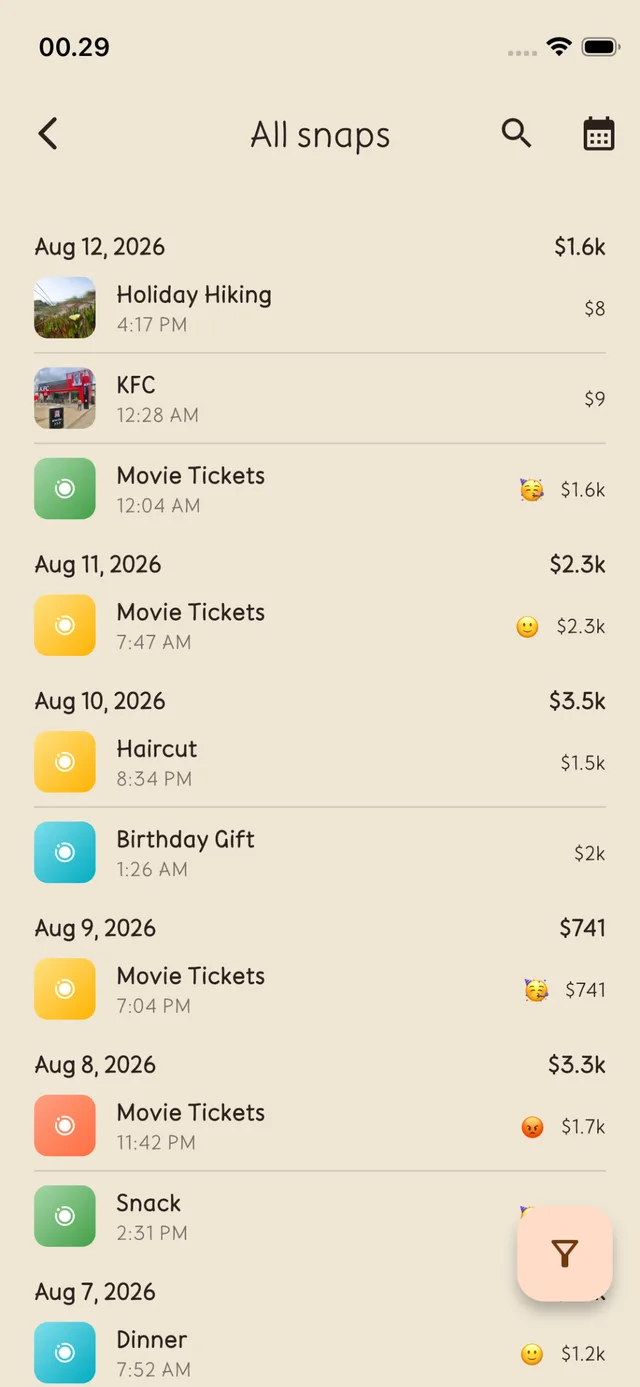
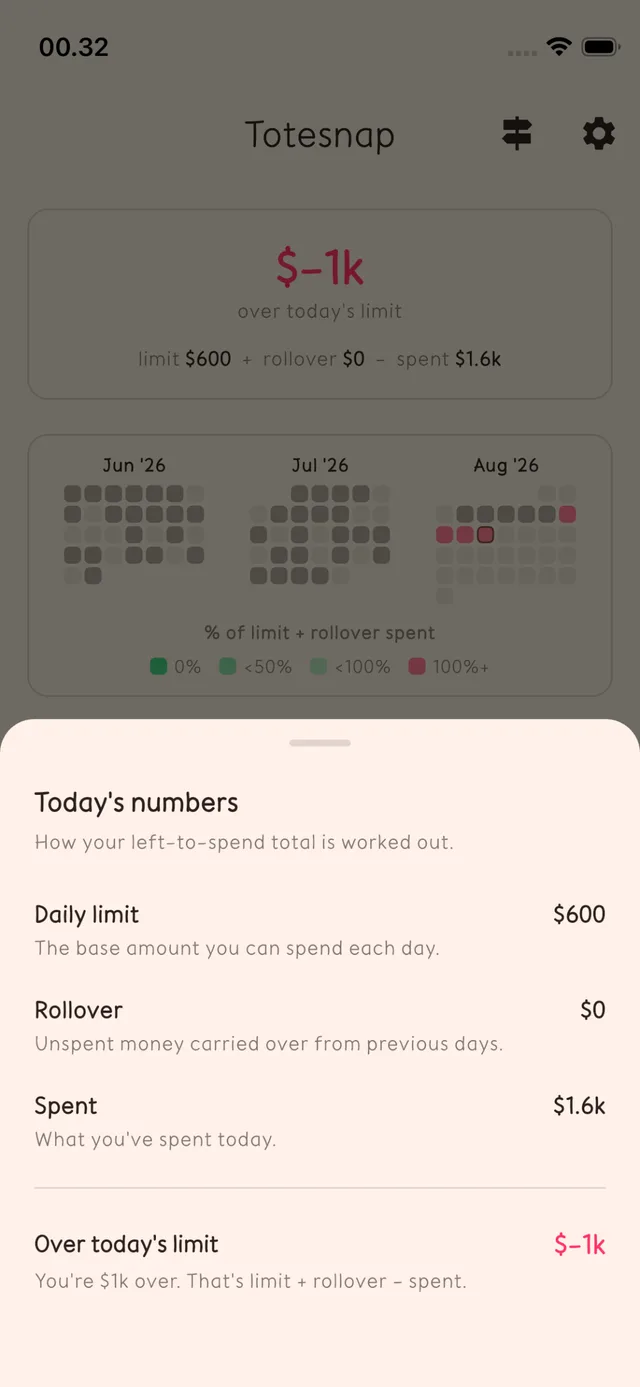
Browse the full list grouped by day, search by name, or filter to a date range. And any time the maths looks wrong, open the breakdown to see precisely how today’s figure was reached.
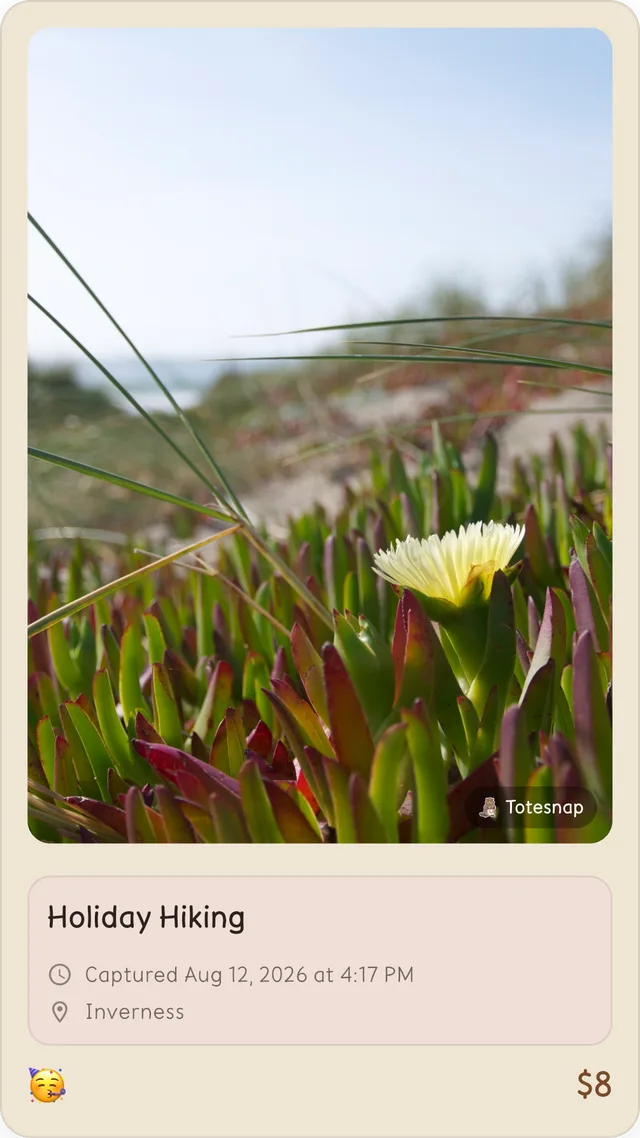
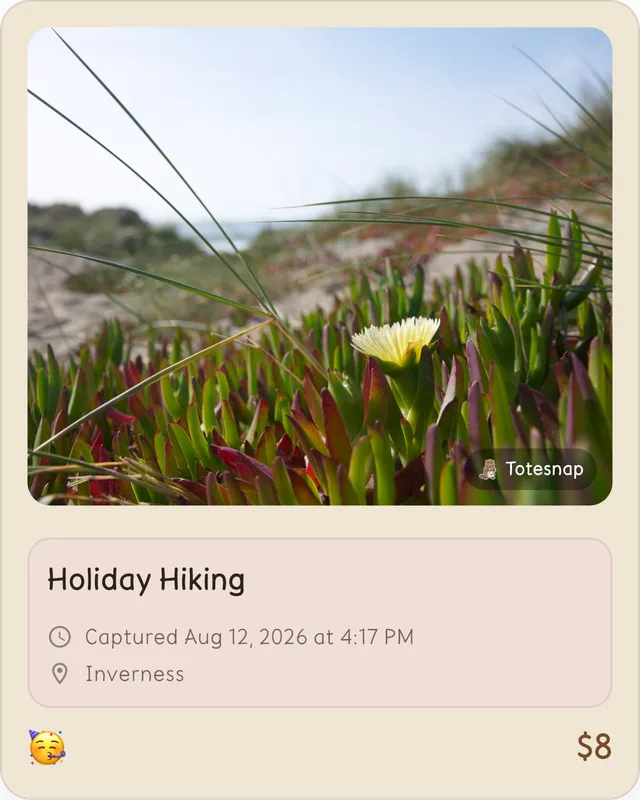
Export a snap as a finished card.
Tap share on any snap and Totesnap renders it as an image — photo, price, mood, and place already laid out. Pick the shape that fits where you’re posting. No screenshotting, no cropping.
Or share the whole month.
The calendar and the map export the same way, so a monthly recap or a 90-day map is one tap rather than a design project.
Before you download.
- Do I have to connect my bank account?
- No. Totesnap never asks for bank logins or card numbers. You add each purchase yourself by snapping a photo and typing the amount — that deliberate half-second is the point.
- What is rollover, exactly?
- Anything you don't spend today gets added to tomorrow's budget. Skip lunch out on Monday and Tuesday simply has more room. It rewards an under-spent day instead of resetting it to zero.
- Does it work without internet?
- Yes. Your snaps and limits are stored on your device, so adding a purchase works on a plane or in a basement restaurant.
- What does it cost?
- Totesnap is free to start. A premium upgrade unlocks the extras, and you can use the core snap-and-limit loop without paying.
- Do my photos leave my phone?
- Only when you choose to share one. Export a card to Instagram or Messages and that image goes where you send it — nothing is posted automatically.

Start with tomorrow’s first coffee.
Set a daily limit, snap one purchase, and you’ll already know more than a monthly budget would have told you.